


♨The Meatless Miss
Comic ‣ Deep-Dive ‣ Real Failures ‣ Takeaways ‣ Downloads
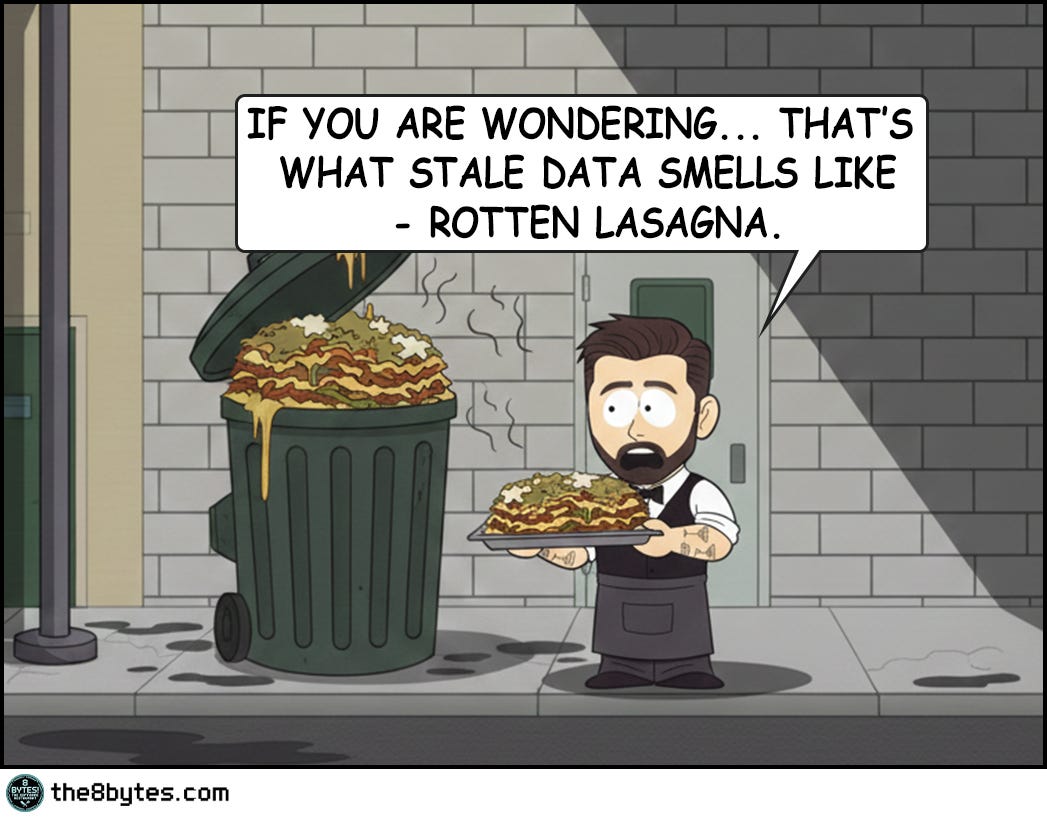
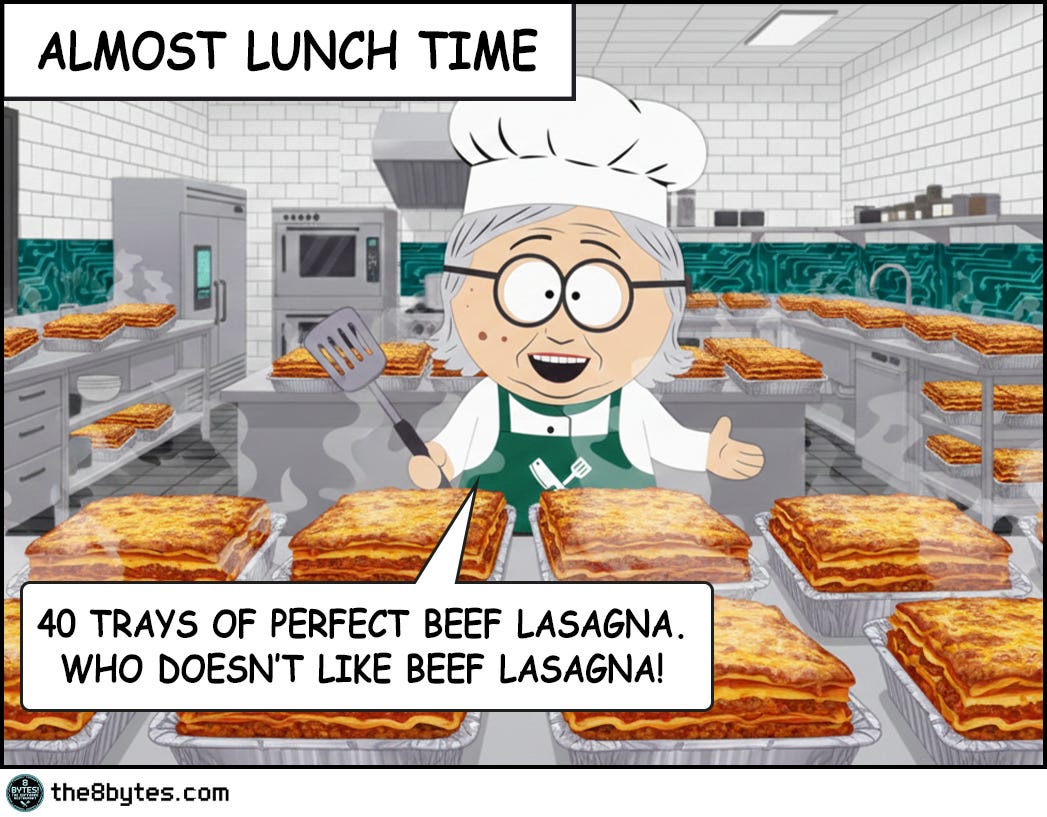
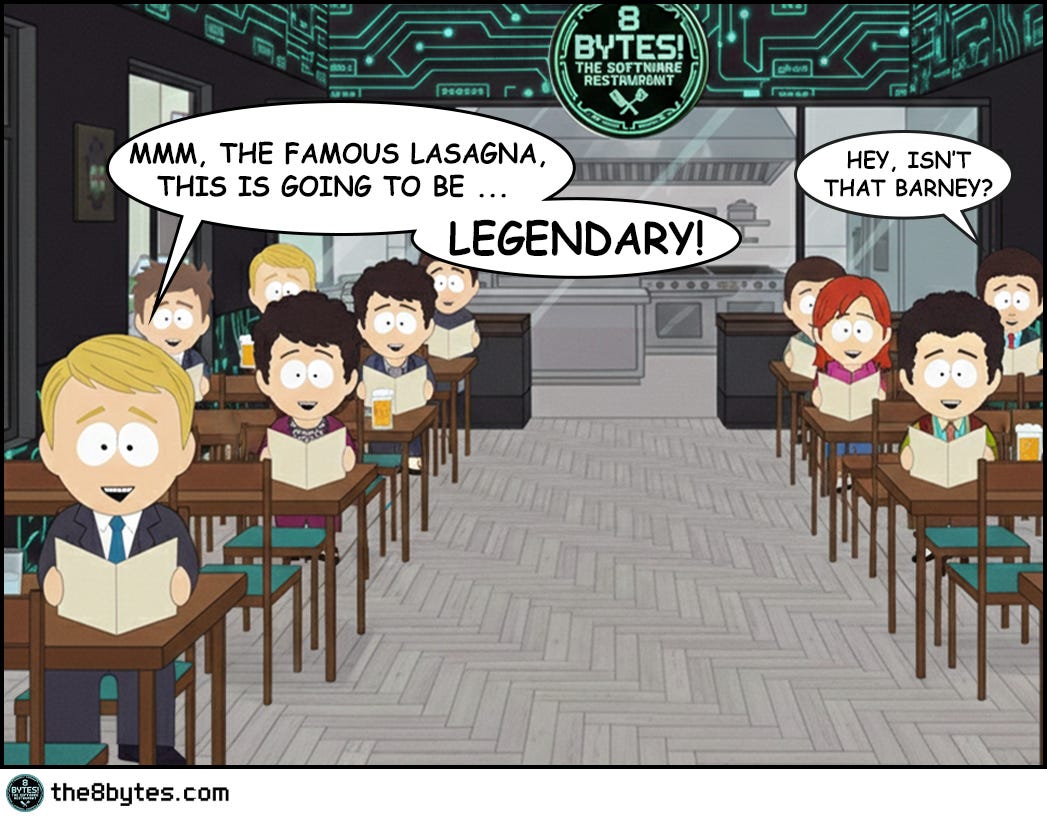
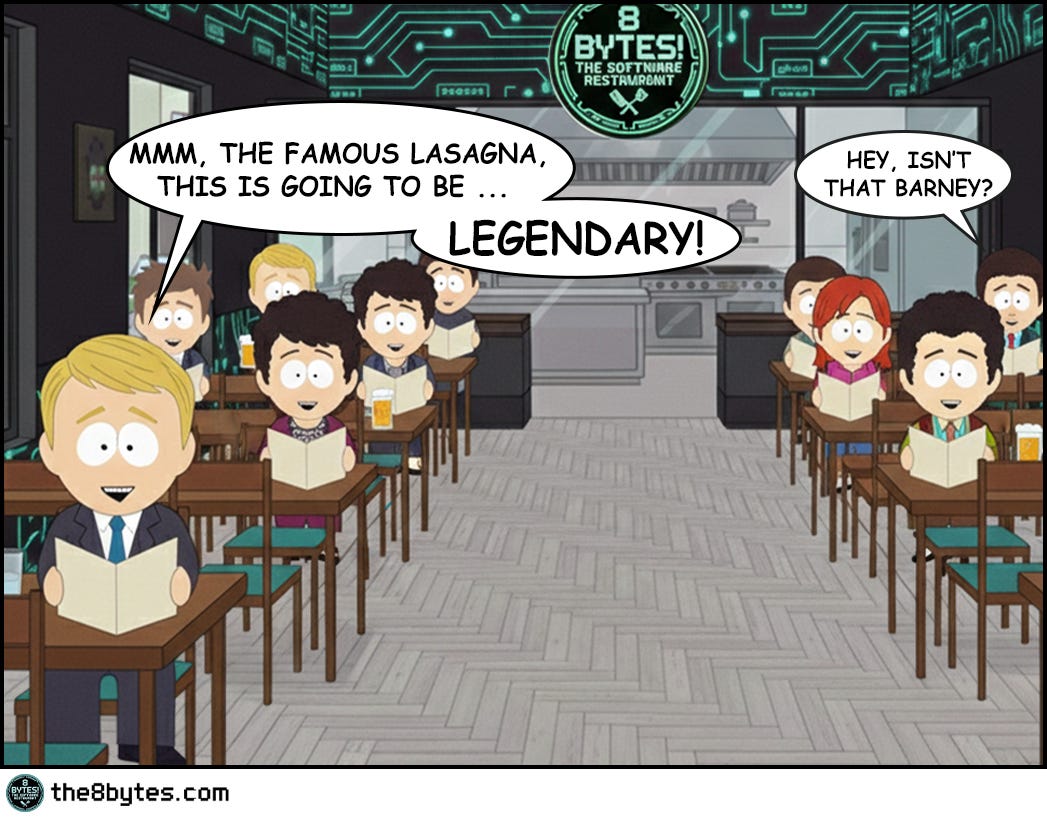
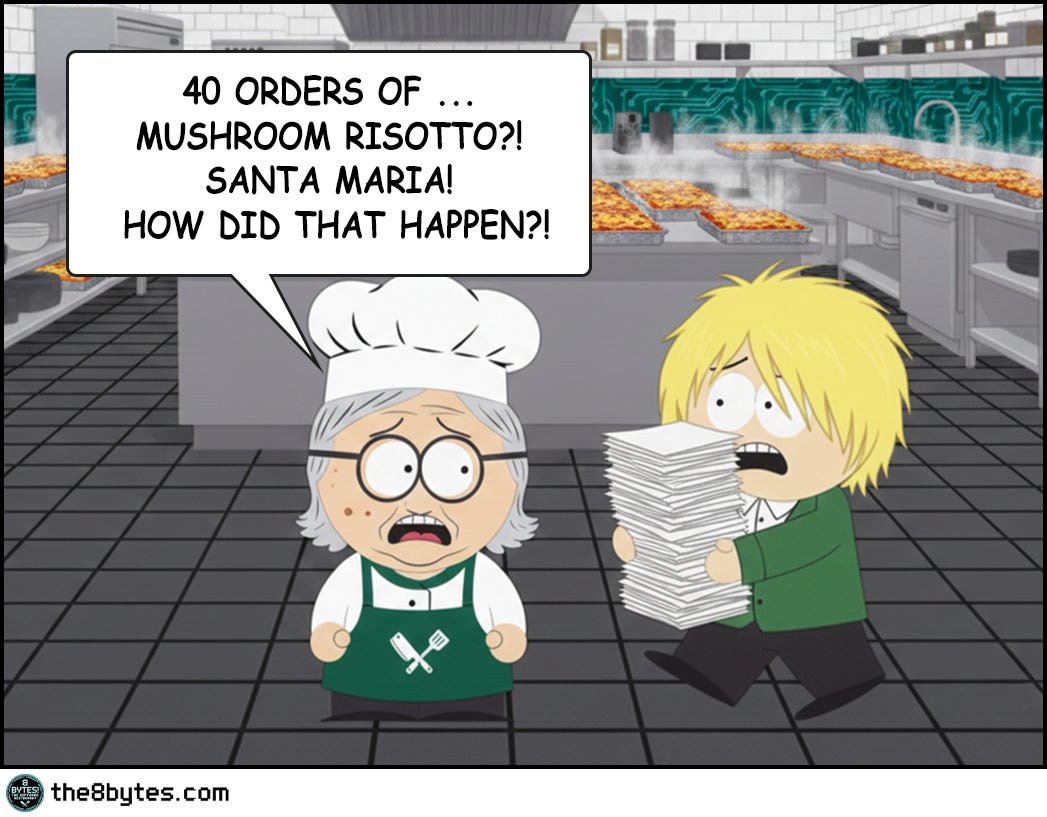
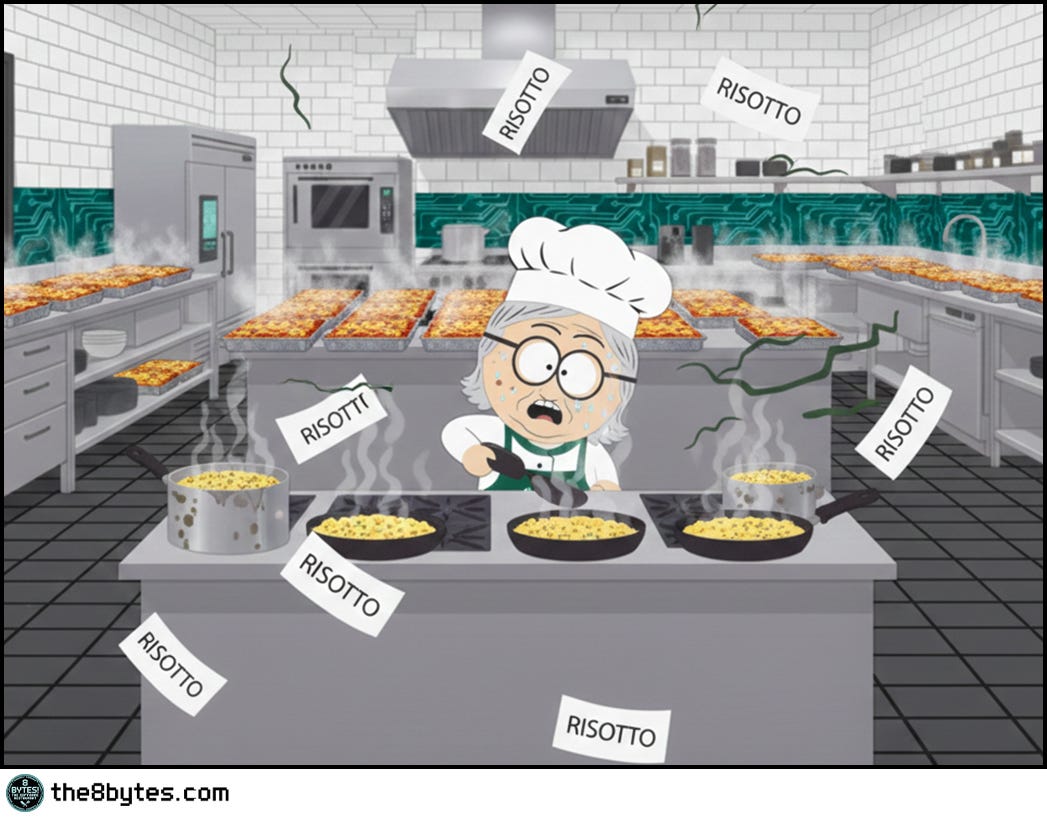
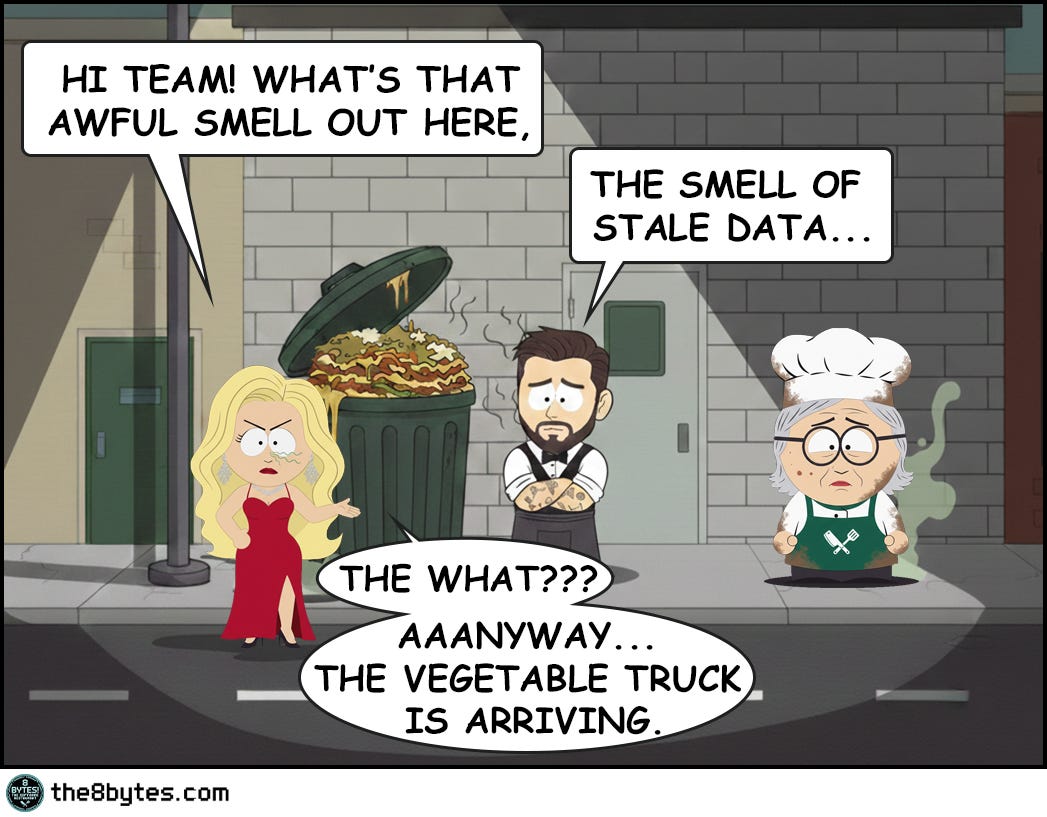
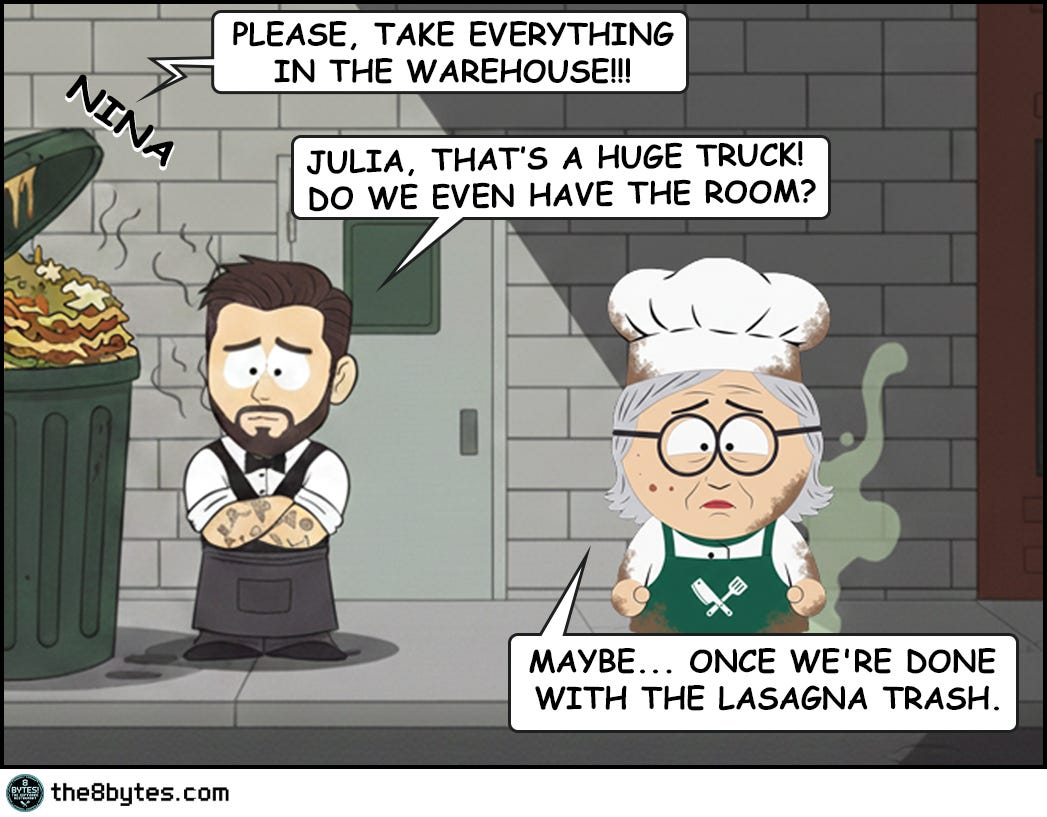
Cody, bartender: “Our boss Nina read us the riot act today: ‘Soft Opening - failed! Grand Opening - failed!’, she barked… Our head chef Julia promised a change. She had a plan for round three. She thought the solution was implementing a CACHE!
How did it go?! Well…”


Steal These Now (Before Going Deep)
For Engineers: High hit rate + user complaints about wrong data? It’s stale cache. Check TTL first, save yourself 2 hours of debugging.
🡆 More for you? Deep Dive section awaits below.
For Tech Leads: One question kills bad caching proposals: “How do you invalidate when data changes?” No plan = no approval.
🡆 More for you? Design Review Questions in the middle.
For Managers: When your CTO says “it’s just a cache bug,” ask: “Can this cause wrong prices or permissions?” Cache bugs are business bugs.
🡆 More for you? CEO Recipe near the end.
(Julia’s 40 beef lasagnas explain why these matter...)
What Just Happened in Julia’s Kitchen?
Caching looked brilliant on paper. Precook 40 trays. Serve instantly. Zero wait time.
Then reality changed. The mayor announced Meatless Monday. 40 trays of beef became completely useless.
Cache invalidation - the smell of stale data…
Welcome to Episode 3 of Season 1 “Memory Management”
8 episodes exploring Stack, Heap, Garbage Collection, Memory Leaks and other hilarious software disasters. New episodes drop bi-weekly:
✅ E01: Stack Overflow & Recursion → [Read now]
✅ E02: LIFO vs FIFO Starvation → [Read now]
✅ E03: Cache & Stale Data → You are here
✅ E04: Heap Fragmentation → [Read now]
✅ E05: Garbage Collection - “Stop the World” → [Read now]
⏳ E06: Memory Leaks (drops Mar 05)
📅 E07: Race Conditions (drops Mar 19)
📅 E08: Deadlocks (drops Apr 02)
Deep Dive: The Cache Promise
What Is Cache, Really?
In Julia’s kitchen, caching is simple: prepare dishes in advance and store them on the counter. When an order comes in, grab the pre-made dish instead of cooking from scratch. Serve in seconds instead of minutes.
In software engineering, cache is a high-speed storage layer that sits between your application and slower data sources (databases, APIs, file systems). Instead of fetching data from the slow source every time, you store frequently-accessed data in the cache - typically in RAM - and serve it lightning-fast.
The promise is irresistible. Database query: 50-100ms. Cache hit: 1-5ms. That’s 10-100x faster. For high-traffic systems, caching isn’t optional - it’s survival.
But here’s the catch Julia discovered: speed means nothing if you’re serving the wrong dish.
The Three Cache Operations
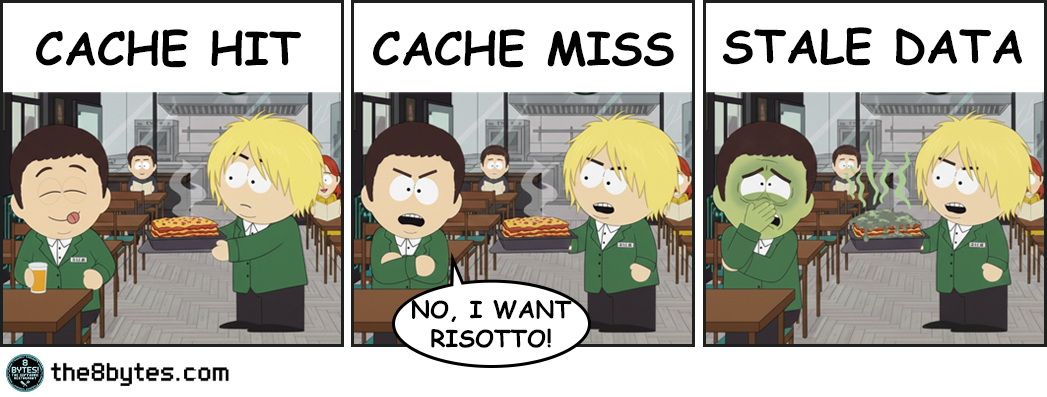
Cache Hit (The Dream): Customer orders beef lasagna. Julia grabs pre-made tray. Serves in 30 seconds. Application requests data. Cache has it. Return immediately. Fast!
Cache Miss (The Slow Path): Customer orders risotto. Not pre-made. Must cook from scratch. 45 minutes. Application requests data. Cache empty. Must fetch from database. Slow!
Cache Invalidation (The Nightmare): Customer orders beef lasagna. Julia serves pre-made tray. Customer: “But it’s cold, old and actually rotten!” Cache is stale - contains outdated data that no longer matches reality.
Julia experienced all three today. She optimized for hits. Reality gave her invalidation.
The Speed vs. Accuracy Tradeoff
Julia faced the eternal dilemma:
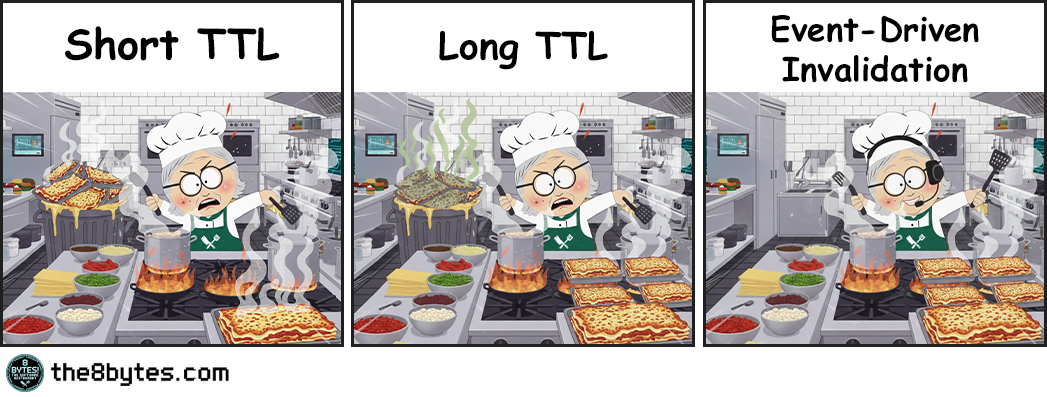
Short TTL (Time To Live): Cache expires every 30 seconds. Always fresh data. But you’re hitting the database constantly. Cache becomes useless.
Long TTL: Cache lasts 1 hour. Lightning fast. But data can be stale for 59 minutes. Users see wrong information.
Event-Driven Invalidation: Invalidate immediately when data changes. Best of both worlds? But what if the message fails? Distributed systems make this brutally complex.
Julia chose long TTL. The mayor’s announcement didn’t reach her counter. 40 trays became trash.
Quick tips:
🔧 Production Pattern: If you can’t reliably invalidate across distributed systems, use short TTL + async refresh in background. Don’t gamble with event propagation unless you control the entire pipeline and have monitoring in place.
💼 Business Decision Alert: TTL = predictable performance, unpredictable correctness. Event-based = opposite trade-off. This isn’t purely a tech choice, it’s a business risk assessment. Ask: “What’s the cost of serving stale data to our customers?”
Cache Strategies: The Write Problem
Reading from cache is simple. Writing is where everything breaks.
When data changes, you have three choices. Each has a disaster scenario.
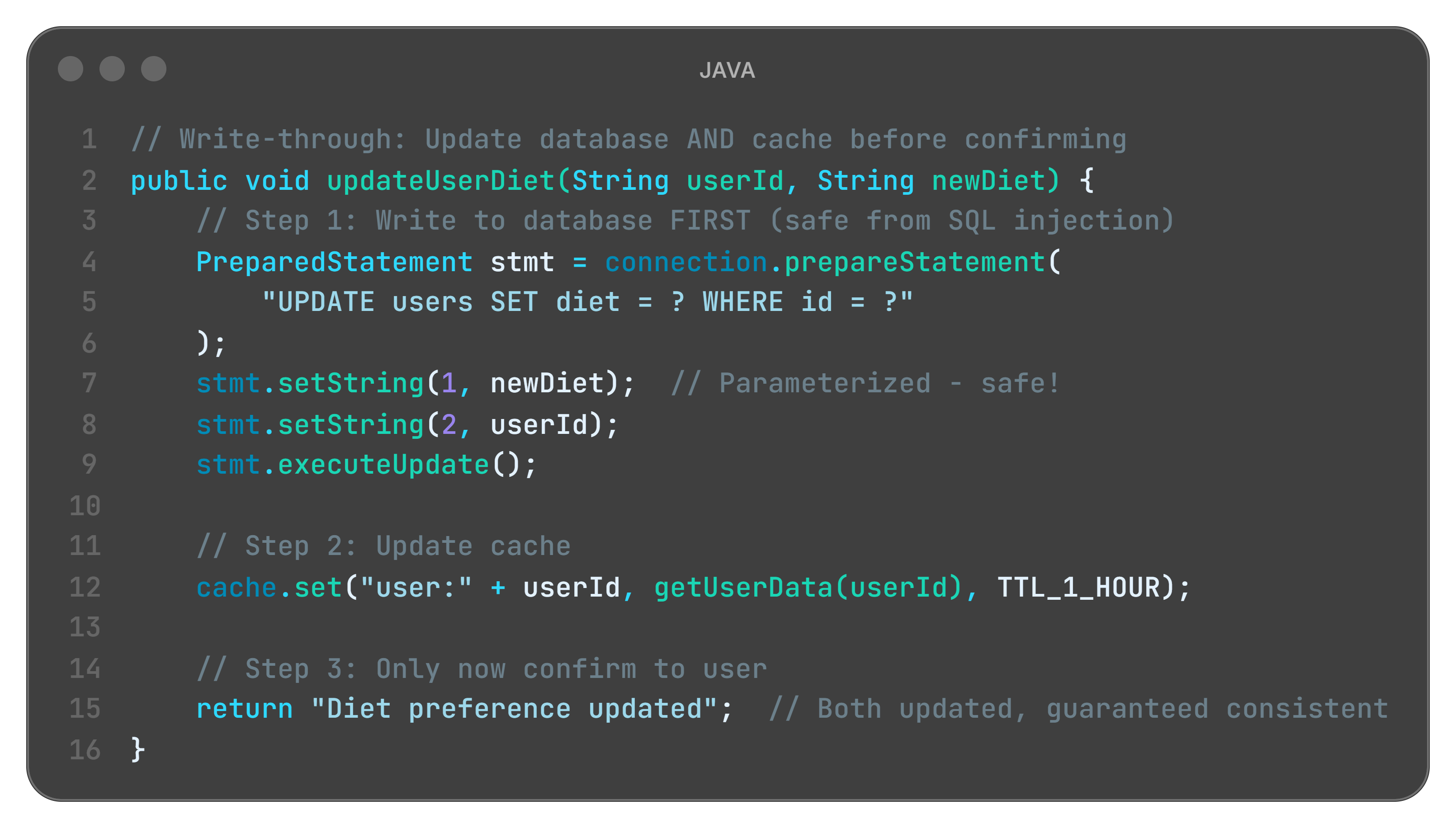
A. Write-Through Cache (Slow but Safe)
Restaurant metaphor:
Customer changes order from beef to vegetarian. Julia:
Updates warehouse menu board (DATABASE)
Updates counter prep list (CACHE)
Only then confirms: “Order updated!”
Everything synchronized. But slow.
Code example:
What is happening here?
database.update() first: Source of truth updated (warehouse menu board changed)
cache.set() second: Cache synchronized (counter list updated)
return only after both: User confirmation means both are consistent
Performance cost: Two writes instead of one (slow, but safe)
The disaster scenario:
Black Friday. E-commerce site uses write-through for inventory. Customer adds item to cart → Write to DB + Update cache. 10,000 simultaneous customers. Every cart hits database. Database overwhelmed. Site crashes.
Write-through failed because: Safety came at the cost of scalability. When every write is synchronous, you can’t handle load spikes.
Language-specific limits:
Java - Synchronous writes block threads. Under high load, thread pools exhaust. System freezes.
Python - GIL (Global Interpreter Lock) makes synchronous writes even slower. Async helps, but complexity explodes.
Node.js - Single-threaded event loop. Long writes block ALL requests. Server becomes unresponsive.
When safety kills performance, users leave.
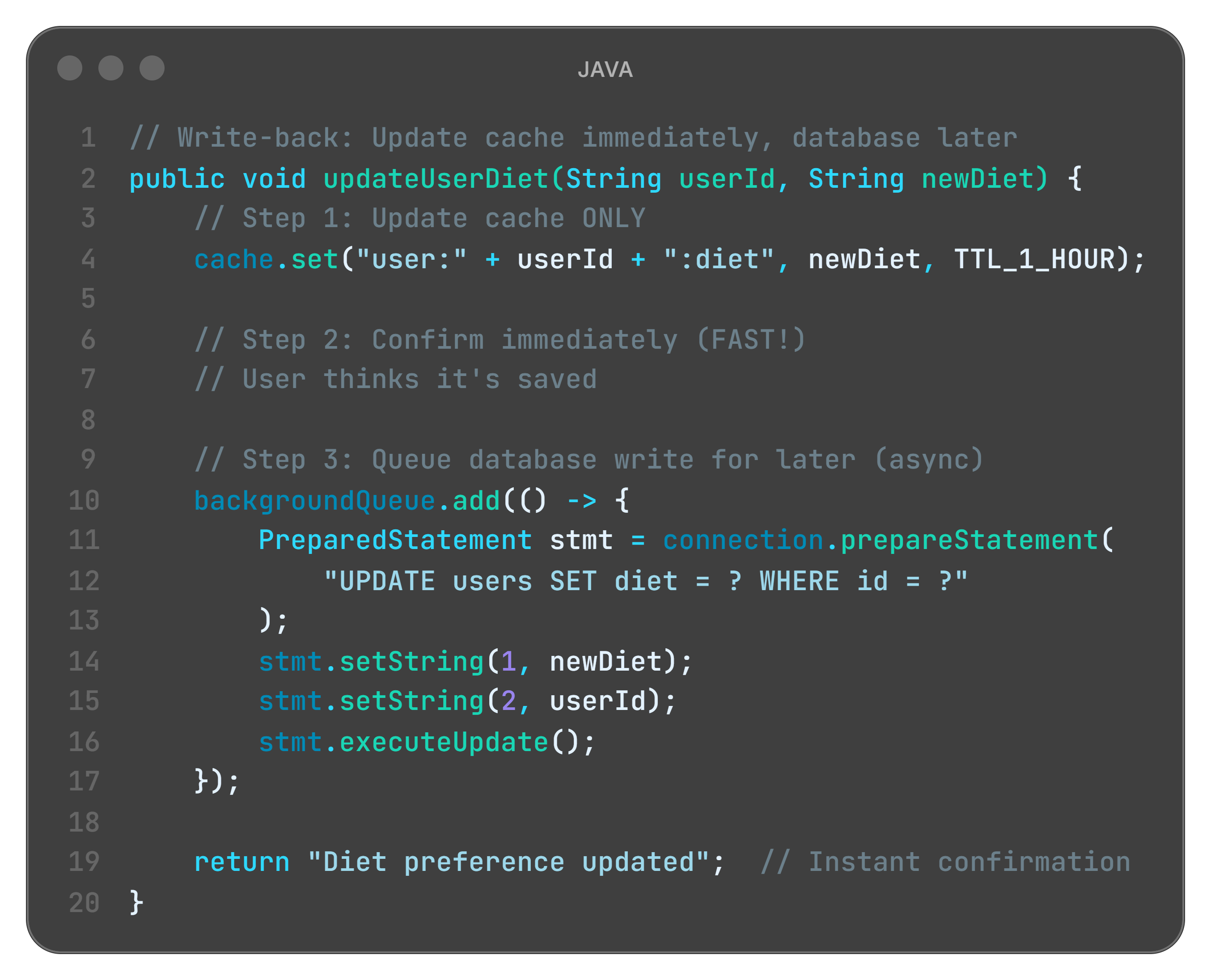
B. Write-Back Cache (Fast but Risky)
Restaurant metaphor:
Customer changes order. Julia:
Updates counter list immediately (CACHE)
Tells customer: “Done!”
Later (maybe 5 minutes), updates warehouse (DATABASE)
Super fast response. But if Julia forgets step 3... disaster.
Code example:
What is happening here?
cache.set() only: Quick update to fast storage (Julia’s counter)
return immediately: User gets instant feedback (customer sees confirmation)
backgroundQueue.add(): Database write queued for later (warehouse updated eventually)
Risk: If server crashes before background write... data lost forever
The disaster scenario:
Social media app uses write-back for post likes. User likes post → Cache updated instantly, shows +1. Database write queued for 30 seconds. Server crashes at second 25. Database never updated. Like vanished.
User sees “Post liked!” but it disappeared. They try again. Cache shows it, database doesn’t. Confusion spreads. Trust evaporates.
Write-back failed because: Speed came at the cost of durability. When writes live only in memory, server failures destroy data.
Language-specific limits:
Java - JVM crash before flush = queued writes vanish. Need Write-Ahead Log (WAL).
Python - Background threads might not complete before process dies. Must use persistent queue (Redis, RabbitMQ).
Node.js - Async queue in memory. Process exit = data loss. Need external persistent queue.
When speed kills reliability, trust evaporates.
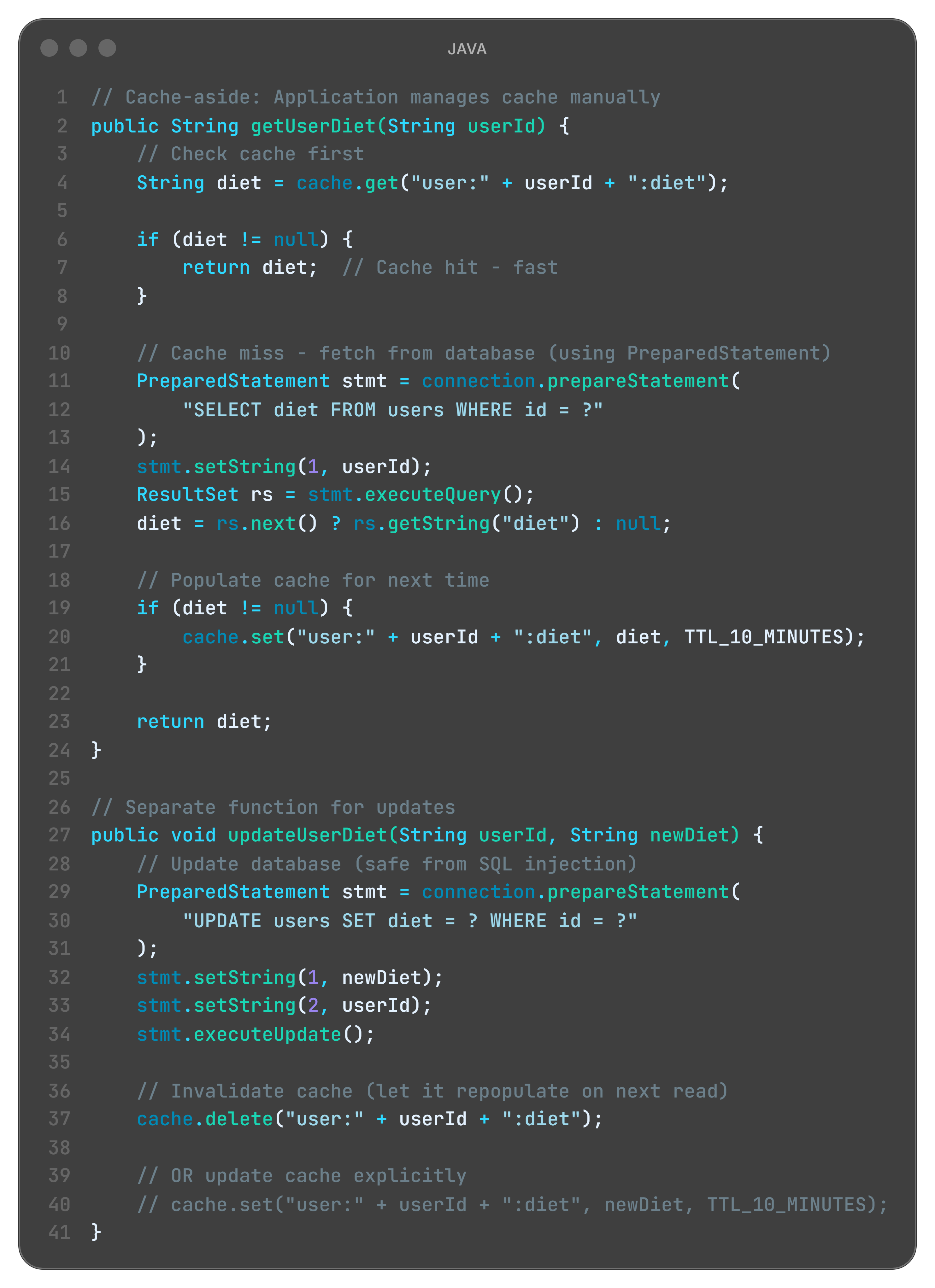
C. Cache-Aside (Manual Control)
Restaurant metaphor:
Customer asks for preferences. Julia:
Checks counter list (CACHE)
Not there? Walks to warehouse (DATABASE)
Brings copy to counter (POPULATE CACHE)
Serves customer
Application controls everything. Flexible but complex.
Code example:
What is happening here?
Application decides: When to cache, when to invalidate (Julia controls prep strategy)
cache.delete() on write: Remove stale data, repopulate on next read (throw out old prep)
Flexibility: Different TTLs per data type (beef 1 hour, salads 10 minutes)
Complexity: Developer must remember to invalidate (if Julia forgets, stale data stays)
The disaster scenario:
E-commerce platform uses cache-aside for prices. Morning: products cached with 1-hour TTL. 10:00 AM: flash sale starts, prices drop 50%. Developer updates database. Developer forgets cache.delete(). Users see old prices until 11:00 AM. Orders placed at wrong prices. Legal disaster.
Cache-aside failed because: Flexibility created footguns. Human error in manual invalidation destroys consistency.
Language-specific limits:
Java - No compiler enforcement. Developer must remember cache.delete(). Code reviews miss it.
Python - Decorators (@cache) help, but manual invalidation still error-prone.
Node.js - Callback/promise chains make forgetting invalidation easy. Async complicates debugging.
When flexibility creates footguns, incidents multiply.
So, should you never cache anything?
Absolutely not!
First: Some data rarely changes and is read constantly - country codes, currency lists, product categories, feature flags. Perfect for long-TTL caching.
Second: The lesson isn’t “avoid caching” - it’s know your consistency requirements. User’s own profile? Strong consistency (invalidate immediately). Public product catalog? Eventual consistency acceptable (5-minute stale is fine). Real-time stock prices? No cache. Historical data? Aggressive cache (never changes).
Julia’s mistake: She cached beef lasagna with all-day TTL when the menu could change any minute.
The question isn’t “to cache or not to cache” - it’s “how stale can this data be before it causes problems?”
The Thundering Herd Problem
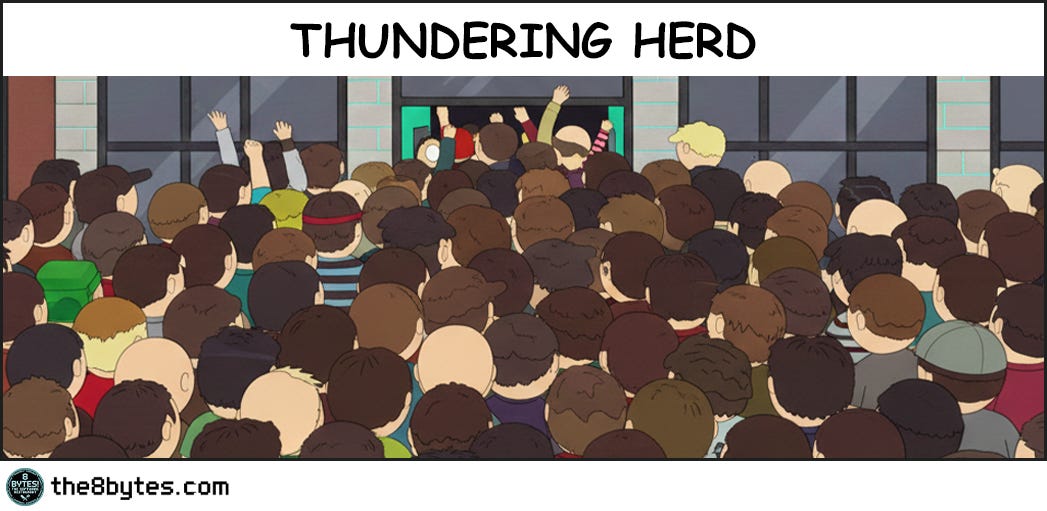
One more nightmare Julia didn’t see coming.
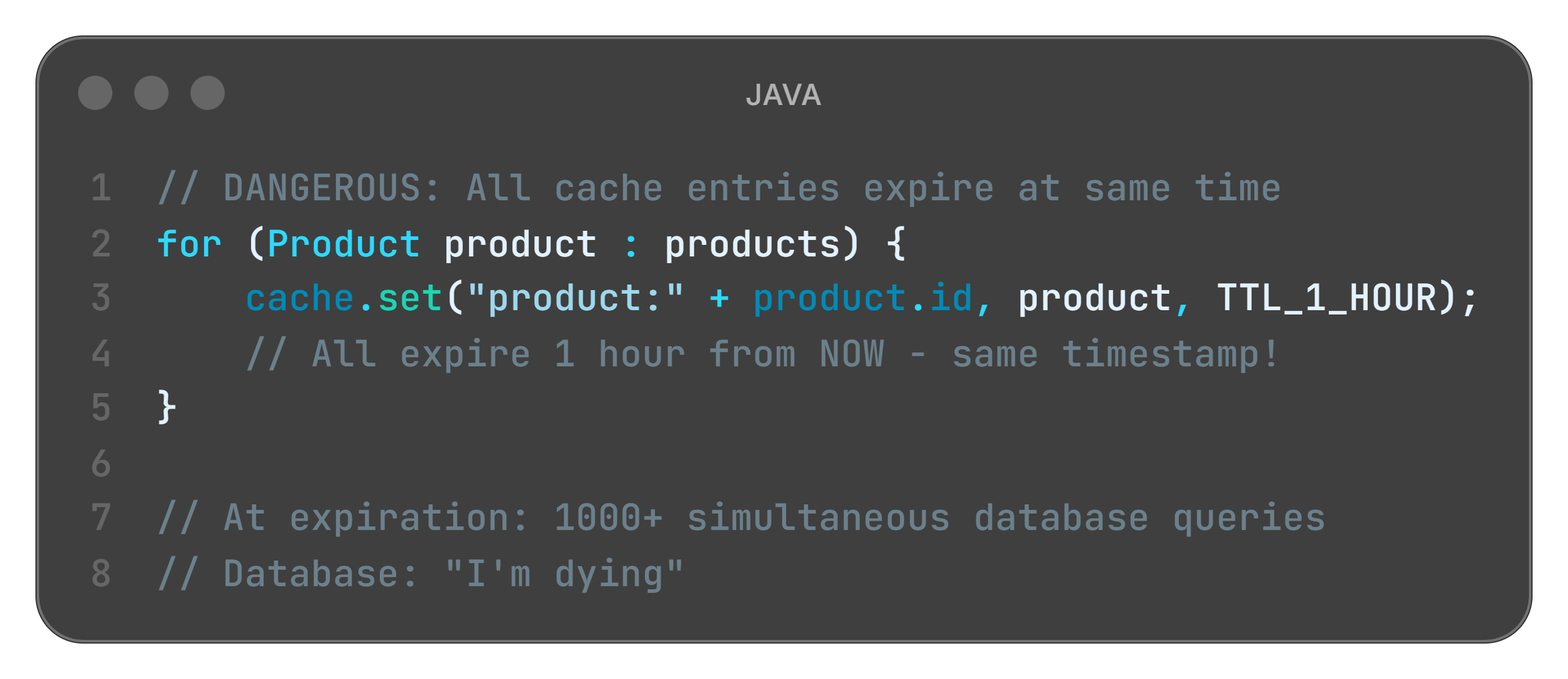
The setup: All 40 trays expire at same time: 12:00 PM. At 11:59, cache serves everyone instantly. At 12:00 sharp: all 40 expire simultaneously. 40 customers order at once. All cache misses. All 40 hit database. Database overwhelms. System crashes.
Restaurant metaphor: Julia prepped 40 dishes, all timed to expire at noon. At 12:01 PM, lunch rush hits. Everyone orders. Nothing cached. Julia must cook all 40 simultaneously. Kitchen explodes.
Code that causes this:
The fix - jittered TTL:
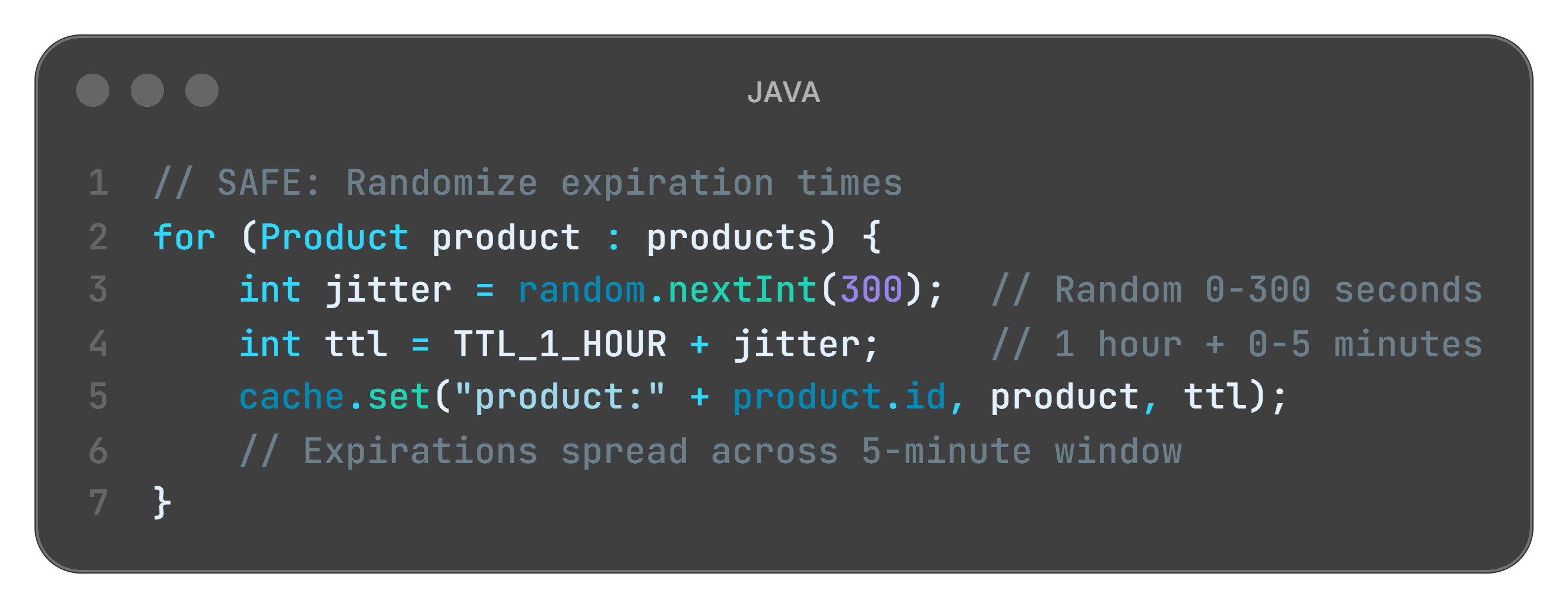
What is happening here?
Random jitter: Each item expires at slightly different time (dishes expire across 5-minute window)
Spread the load: Queries distributed over time, not spiking (8 dishes per minute, not 40 at once)
System survives: No thundering herd collapse
Lesson learned: Even when caching correctly, timing can kill you.
Caching Strategy Example - Bank Cards Aggregator
As part of a large-scale bank merger, we developed an aggregation microservice to fetch card lists with their balances from two distinct systems. We are in a 2-year gradual migration phase:
System A: Legacy card system (originally serving Bank A).
System B: New target system (originally serving Bank B)
User States: Customers may have cards in A, B, or both (during the re-issuance transition).
The Challenge: Infrastructure Constraints
A bank merger means a doubled user base. Neither legacy nor the new system was provisioned to handle the combined peak load of both banks simultaneously. Blindly polling both APIs for every mobile dashboard hit would have led to a system-wide “Denial of Service” (DoS).
The Solution: Intelligent Routing via Cache
Instead of heavy data caching, we implemented a per-customer routing flag in Redis:
The Flags: Simple indicators telling the service which system(s) to poll for a specific user ID (
SystemA: true/false,SystemB: true/false).Efficiency: This avoids “dual-system polling” for migrated or new users, effectively shielding the upstream APIs from redundant traffic.
Operational Resilience
TTL Strategy: A 48h TTL was chosen, aligning with the card issuance lifecycle. Since new cards aren’t issued instantly, the risk of stale routing flags is minimal.
Graceful Degradation: If Redis restarts (cache miss), the system defaults to dual-polling and repopulates the flags on-the-fly. The resulting transient load is a known trade-off, far better than a permanent over-provisioning cost.
Famous Failures
Real systems. Real crashes. Real lessons.
Knight Capital (2012): The “$440 Million Stale Flag” Disaster
Back in 2012, Knight Capital was one of the largest traders on the New York Stock Exchange. They deployed new trading software on August 1st.
The deployment included a new flag: POWER_PLOW = false (disabled old algorithm). But on one server, the deployment failed. That server still had POWER_PLOW = true cached in its configuration.
When markets opened, that one server used the old trading algorithm. It bought high, sold low, repeatedly, at machine speed. The other 7 servers worked fine. One cached configuration flag - wrong for 45 minutes.
The damage: $440 million loss. Knight Capital nearly bankrupted. Acquired by a competitor.
Lesson learned: Even “read-only” configuration can be catastrophic if cached incorrectly. That single server’s stale cache destroyed a company.
Read more: SEC Report: Knight Capital Trading Glitch
Quick tips:
👨💼 For Your Next Board Meeting: When stakeholders push back on “fixing technical debt” or ask why you need to refactor caching, show them Knight Capital. $440 million lost in 45 minutes because of cache invalidation failure. Cache bugs aren’t invisible, they’re revenue crises, reputation disasters, and regulatory nightmares waiting to happen.
👨🏫 Teaching Moment: Use Knight Capital in design reviews when juniors suggest “just cache everything for performance.” Real-world disasters where companies nearly went bankrupt are more persuasive than architectural principles. Ask: “What happens if this cache goes stale?”
Facebook Privacy Settings (2018): The “Who Can See This?” Cache Nightmare
Facebook lets users control who sees their posts: Public, Friends, Custom lists. These privacy settings were aggressively cached for performance - checking permissions on every post view would crush the database.
In May 2018, a bug caused privacy settings to be cached longer than intended. Users changed settings from “Friends Only” to “Public” (or vice versa). The cache didn’t invalidate.
Posts went to wrong audience. “Friends Only” posts visible publicly. “Public” posts invisible to public. For 5 days, 14 million users saw incorrect privacy settings.
The impact: Privacy breach headlines. User trust damaged. Regulatory scrutiny. Congressional hearings.
Lesson learned: User privacy and security settings should NEVER use long-TTL cache. Some data is too sensitive for eventual consistency.
Read more: Facebook Bug Made Private Posts Public
AWS S3 Outage (2017): The “All Green” Dashboard Lie
February 28, 2017. An AWS engineer typed a command to remove a small number of S3 servers for maintenance.
Typo. The command removed way more servers than intended. S3 in US-EAST-1 went down hard.
But here’s the cache disaster: AWS’s own status dashboard showed “All Systems Operational” for 30 minutes after the outage started.
Why? The dashboard cached S3 health status with 15-30 minute TTL. Cache said “green” while reality was “on fire.”
Customers panicked. “Is it just me?” Engineers couldn’t trust their monitoring. Debugging became chaos. Recovery delayed because even AWS didn’t know how bad it was - their own cache lied to them.
The impact: Millions of websites down. 4-hour outage. Estimated $150 million in lost revenue across affected businesses.
Lesson learned: Never cache your monitoring and health checks. When system is burning, you need to know immediately, not “eventually.”
Read more: AWS Post-Mortem: S3 Service Disruption
Key Takeways
The CEO-Digestible Recipe
Serve technology terms as digestible dishes to the CEO
Ingredients:
♨ CACHE - Julia’s prep counter with ready-to-serve dishes. Faster than cooking from scratch every time.
♨ CACHE HIT - Customer orders beef lasagna, Julia grabs pre-made tray from counter. Served in 30 seconds instead of 45 minutes.
♨ CACHE MISS - Customer orders risotto, counter is empty, Julia must cook from warehouse ingredients. The slow path nobody wants during lunch rush.
♨ TTL (TIME-TO-LIVE) - How long before prepped food goes bad. Beef lasagna safe for 2 hours, salad for 30 minutes, sushi for 10 minutes.
♨ STALE DATA - Serving yesterday’s special when today’s menu changed. Technically food, technically edible, completely wrong for what customer ordered.
♨ CACHE INVALIDATION - Throwing out prepped dishes when recipe changes. Sounds simple until you have 40 trays and mayor announces Meatless Monday.
♨ WRITE-THROUGH - Update warehouse menu AND counter prep list before confirming order change. Safe but slow, like two clipboards that must always match.
♨ WRITE-BACK - Update counter immediately, warehouse later. Fast confirmations but risky if kitchen burns before warehouse sync.
♨ CACHE-ASIDE - Julia decides what to prep based on experience. Flexible but depends on Julia remembering to check freshness.
♨ THUNDERING HERD - All 40 dishes expire at noon, lunch rush at 12:01, everyone orders simultaneously. Nothing ready, kitchen drowns.
♨ STRONG CONSISTENCY - Dietary restrictions change RIGHT NOW and every system must know immediately. Even if slower, wrong recommendations could kill someone.
♨ EVENTUAL CONSISTENCY - Product catalog updates take 5 minutes to propagate. Annoying if you see “In Stock” then “Sold Out,” but nobody dies from stale inventory.
The Three Rules of Caching (Remember These)
1. If you can’t invalidate reliably, don’t cache.
No invalidation strategy = ticking time bomb. Better slow and correct than fast and wrong.
2. Freshness is a business requirement, not a technical detail.
Ask: “What’s the cost of serving stale data?” Wrong price = lost revenue. Wrong permissions = security incident. Wrong medical data = lawsuit.
3. Cache misses under load are more dangerous than steady misses.
One spike → thundering herd → cascading failure → 3am pages for entire team.
For Engineers: Debug Signals
Watch for these patterns in production monitoring:
Pattern 1: Silent Staleness
Symptom: No errors logged, but users report wrong data
Diagnosis: High cache hit rate (90%+), but TTL is too long
Fix: Reduce TTL or implement event-based invalidation with proper monitoring
Pattern 2: Thundering Herd
Symptom: Latency spike when cache expires (every hour at :00)
Diagnosis: All requests hit database simultaneously on cache miss
Fix: Staggered expiration (randomize TTL ±10%) or implement cache warming
Pattern 3: Invalidation Storm
Symptom: Excessive cache deletions, performance tanks during deployments
Diagnosis: Over-aggressive invalidation on every write (deleting everything)
Fix: Batch invalidations, use write-through cache, or fine-tune invalidation scope
Metrics to monitor:
Cache hit rate (target: 80-95%)
Cache miss latency (should be <100ms)
Stale read rate (custom metric: data age > acceptable threshold)
Invalidation frequency (spikes indicate problems)
For Tech Leads: Design Review Questions
Before approving any caching proposal, require answers to:
1. What’s cached?
Be specific about data types, scope, and key patterns. “User data” is not specific enough. Need: “User profile (name, email, preferences) keyed by user_id.”
2. How is it invalidated?
“We’ll figure it out later” is not acceptable. Require concrete strategy: TTL-based (how long?), event-based (which events?), or manual (whose responsibility?).
3. What happens when invalidation fails?
Failure modes need explicit plans. Network partition? Message queue down? Cache server restart? Document the blast radius.
4. What’s our SLA for data freshness?
This is a business requirement, not a technical detail. Get it from product/business stakeholders. “As fresh as possible” is not an SLA.
5. How do we test cache failure scenarios?
If you can’t test it, you can’t trust it. Require chaos engineering experiments before production deployment.
Team Practice: Run quarterly “cache failure drills” like fire drills. Simulate:
Invalidation event lost in message queue
Cache server restart mid-operation
TTL misconfiguration (10 minutes instead of 10 seconds)
Thundering herd scenario (all cache entries expire simultaneously)
Measure blast radius and recovery time. Use findings to improve architecture.
For Managers: Investment Priorities
What cache failures look like in business terms:
E-commerce: Wrong prices shown to customers (lost margin or revenue, potential legal liability)
SaaS: Wrong permissions enforced (security incidents, compliance violations, customer trust erosion)
Media: Stale content served (broken user trust, subscriber churn, ad revenue loss)
Finance: Outdated balances displayed (regulatory fines, customer litigation, brand damage)
Questions to ask your CTO:
What systems use caching in production?
What data is cached, and what happens if it goes stale?
How do we monitor cache freshness (not just hit rate)?
What’s our incident response plan for cache-related bugs?
What’s the blast radius if our cache goes down entirely?
Budget Allocation:
Invest in observability around data freshness, not just latency/performance metrics. You can’t fix what you can’t measure.
Metrics worth funding:
Data staleness monitoring (how old is cached data compared to source?)
Invalidation success rate (did the cache update message arrive?)
Cache consistency checks (does cache match database periodically?)
Chaos engineering experiments (quarterly failure drills with measured recovery time)
ROI Example: Knight Capital lost $440M in 45 minutes from a cache bug. If they’d invested $500K in cache observability, testing infrastructure, and deployment safeguards, they’d have saved $439.5M. That’s 878:1 ROI on prevention.
Don’t wait for your Knight Capital moment. Budget for cache reliability now.
Bonus content: download the episode comic:

Perfect for: Presentations, onboarding docs, tech talks
Using it? Reply and tell me!
Close Time
Cody, the bartender: “Julia’s still in the kitchen, trying to salvage something from those 40 trays. The smell of stale data lingers.
The lesson? Speed means nothing if you’re serving the wrong answer. Cache is beautiful until reality changes. And reality always changes.
But Nina Glamour has a new problem brewing. An unexpected massive delivery arrives - the biggest in restaurant history. The warehouse is packed with ingredients, poorly organized, fragments of space everywhere. Plenty of total space... but no single spot big enough for this enormous delivery.
The full story in Episode 4 - Get ready and remember! Cache invalidation is only solved when you know how stale your data can be. There’s no perfect answer - only tradeoffs.
Cheers.”
Episode 4 Drops in Two Weeks
When the Warehouse Can’t Fit the Delivery: Heap Fragmentation
Ollie, our young waiter is NOT happy. A massive delivery truck just arrived...
But the warehouse? It’s a mess. Ingredients scattered everywhere. Tiny gaps between pallets. Plenty of total space... but no single spot big enough for this delivery.
When does heap fragmentation kill performance? How does garbage collection compaction work? And what happens when you can’t allocate memory even though you have “plenty” of free space?
First time here? Start from the beginning:


Feedback?
What worked for you? What didn’t? What would you like to see more of?
Share your thoughts in the comments below 👇
Know someone struggling with cache invalidation? An architect designing caching strategy? A junior confused about consistency models?
Illustration credits: Comic scenes conceptualized by 8bytes! and rendered by Nano Banana.
When was the last time cache strategy failed you?!
For me - it was about Firebase remoteConfig flags management in Android app.